
POSTMARK Zapier INTEGRATION: AUTOMATE POSTMARK WITH ZAPIER
Need help automating Postmark with Zapier?
Our team will get back to you in minutes.
Why automate Postmark with Zapier?
The Postmark Zapier integration gives you access to 3 triggers and 2 actions to fully automate your transactional email workflows. With these building blocks, you can create sophisticated automations that react to email events in real-time and send precisely-timed messages without manual intervention.
Significant time savings is the most immediate benefit. No more manually checking bounce logs or export email engagement data—set up rules once, and your workflows handle everything automatically. Improved responsiveness means you can trigger instant actions the moment someone opens an email, a message bounces, or an inbound email arrives. Your team gets notified, your CRM updates, and follow-up actions fire within seconds. Zero oversight becomes reality because triggers monitor your Postmark account 24/7. Every bounce, every open, every inbound message immediately triggers your connected workflows—nothing slips through the cracks.
Concrete use cases include: automatically adding contacts who open emails to a "warm leads" list in your CRM, alerting your support team via Slack when an important customer email bounces, creating help desk tickets from inbound emails, or sending personalized templated emails when someone fills out a form. The Postmark Zapier integration connects to over 6,000+ apps, making your email infrastructure the intelligent hub of your automation ecosystem.
How to connect Postmark to Zapier?
! 1 stepHow to connect Postmark to Zapier?
- 01
Add the node
Search and add the node in your workflow.
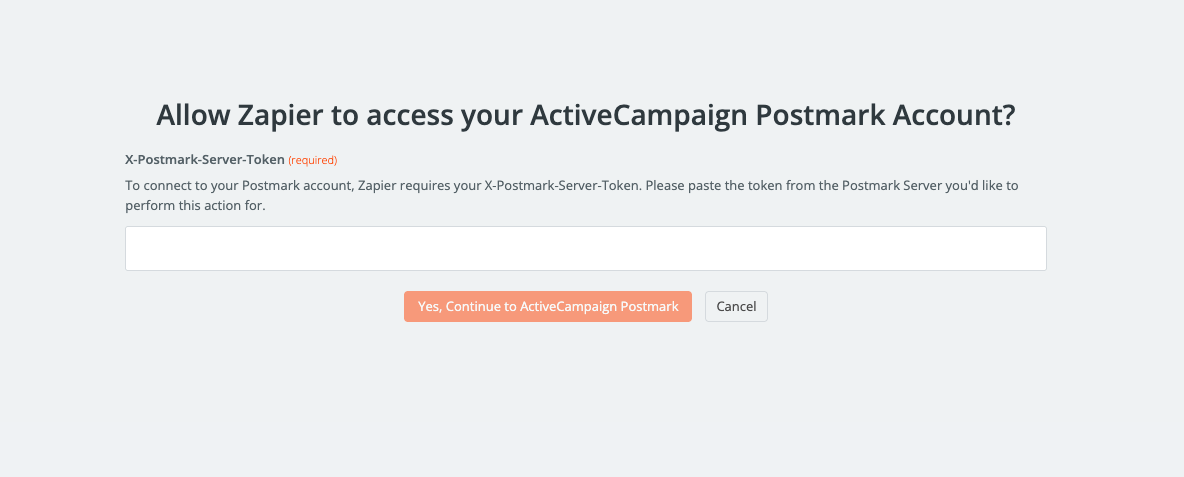 TIP💡 TIP: Keep your Postmark Server API Token handy before starting—you'll find it in your Postmark dashboard under "Server" → "API Tokens." Use server-specific tokens rather than account-level tokens for better security and easier management of multiple projects.
- 01
Need help automating Postmark with Zapier?
Our team will get back to you in minutes.
Postmark triggers available in Zapier
01 Trigger 01New Inbound Message
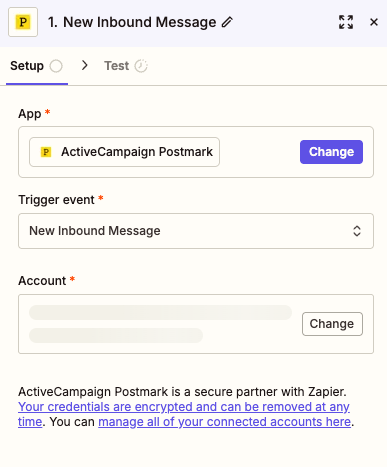
The New Inbound Message trigger fires automatically whenever Postmark receives an inbound email to your configured address. This is incredibly powerful for building automated intake systems, support workflows, or any process that starts when someone emails a specific address.
Configuration parameters:
- App: Select "ActiveCampaign Postmark" from the dropdown. This is required to specify which integration handles the trigger.
- Trigger event: Set to "New Inbound Message" from the dropdown menu. This is required and determines that the trigger activates on incoming emails.
- Account: Select your connected Postmark account. This is required and can be changed if you have multiple Postmark servers configured.
Typical use cases:
- Automatically create support tickets in Zendesk or Freshdesk when customers email your support address
- Parse inbound emails and extract data to populate a spreadsheet or database
- Forward specific inbound messages to Slack channels based on sender or subject
- Trigger approval workflows when receiving signed documents via email
When to use it: This trigger is ideal when email is your primary intake channel. If customers, partners, or team members initiate processes by sending emails, this trigger transforms those messages into automated workflow starters.
02 Trigger 02New Bounce
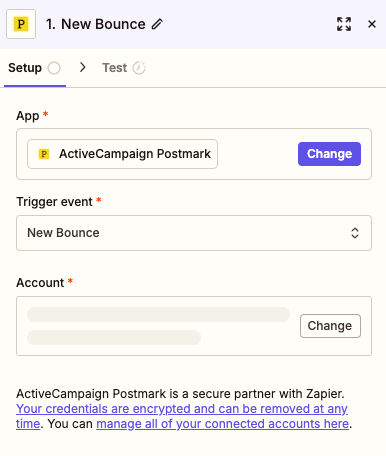
The New Bounce trigger activates the moment an email you've sent through Postmark bounces back. This is essential for maintaining list hygiene, alerting your team to delivery issues, and protecting your sender reputation.
Configuration parameters:
- App: A required dropdown field set to "ActiveCampaign Postmark"—this defines which service monitors for bounces.
- Trigger event: Set to "New Bounce" from available options. This required parameter ensures the trigger fires specifically on bounce events.
- Account: Your connected Postmark account. Required to specify which server's bounce events should be monitored.
Typical use cases:
- Automatically update your CRM to flag bounced email addresses
- Send Slack notifications to your ops team when critical customer emails bounce
- Add bounced addresses to a suppression list in your marketing platform
- Create tasks in project management tools to investigate persistent delivery issues
When to use it: Use this trigger whenever email deliverability matters to your business. E-commerce, SaaS, and service businesses should monitor bounces religiously—it protects your sender reputation and ensures you're not wasting resources emailing invalid addresses.
03 Trigger 03New Email Open
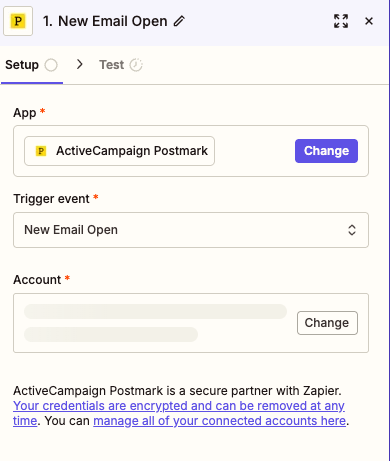
The New Email Open trigger fires when a recipient opens an email sent through Postmark. This real-time engagement signal lets you build responsive workflows that react to actual recipient behavior.
Configuration parameters:
- App: Select "ActiveCampaign Postmark" from the dropdown. Required to connect to your Postmark integration.
- Trigger event: Set to "New Email Open" to specify this engagement-tracking trigger. Required parameter that defines the specific event type.
- Account: Choose which Postmark account to monitor. Required and changeable if you manage multiple servers.
Typical use cases:
- Move contacts who open emails to "engaged" segments in your CRM like HubSpot
- Trigger follow-up email sequences when recipients show interest by opening
- Alert sales reps in real-time when prospects open proposal emails
- Log email engagement data to a spreadsheet for reporting and analysis
When to use it: This trigger shines for sales and marketing teams who want to act on engagement signals. When you know a prospect just opened your quote email, that's the perfect moment for a timely follow-up call. Use this trigger to turn passive email sends into active engagement opportunities.
Postmark actions available in Zapier
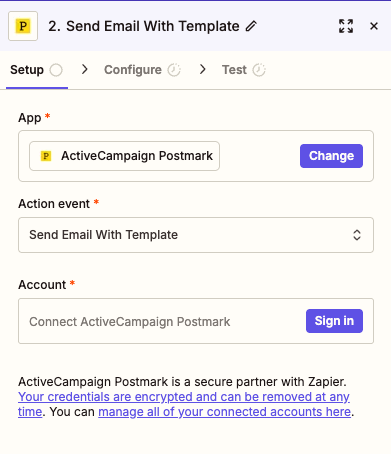
01 Action 01Send Email With Template
The Send Email With Template action lets you send polished, pre-designed transactional emails through Postmark using your existing templates. This is perfect for automated notifications, receipts, welcome emails, and any communication that follows a consistent format.
Key parameters:
- App: Select "ActiveCampaign Postmark" to specify the email service. Required dropdown field.
- Action event: Set to "Send Email With Template" to use this specific sending method. Required parameter that defines the action type.
- Account: Your connected Postmark account with access to the templates you want to use. Required for authentication.
Use cases:
- Send automated welcome emails when new users sign up via a form
- Trigger order confirmation emails when purchases are completed in your e-commerce platform
- Deliver personalized reports or notifications using dynamic template variables
- Send branded transactional emails that maintain design consistency across all touchpoints
02 Action 02Send an Email
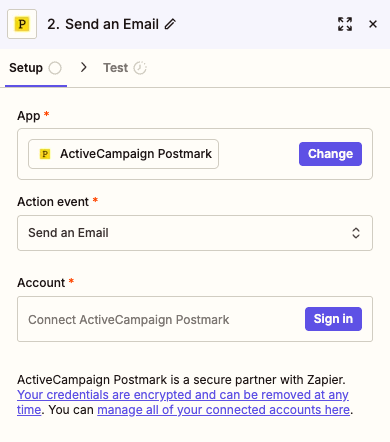
The Send an Email action sends a direct email through Postmark with content you define in your Zap. Unlike the template action, this gives you full control over the email body, subject, and formatting directly within Zapier.
Key parameters:
- App: Select "ActiveCampaign Postmark" from the dropdown. Required to specify the sending service.
- Action event: Set to "Send an Email" for direct email composition. Required parameter defining the action.
- Account: Connect your Postmark account to authorize sending. Required for authentication—click "Sign in" to link your credentials securely.
Use cases:
- Send dynamic notification emails with content pulled from previous Zap steps
- Create custom alert emails to team members based on specific trigger conditions
- Build flexible email workflows where content varies based on logic and data
- Send one-off transactional emails that don't require a pre-built template
Build your first workflow with our team
Drop your email and we'll send you the catalog of automations you can ship today.
- Free n8n & Make scenarios to import
- Step-by-step setup docs
- Live cohort + community support
Frequently asked questions
Is the Postmark Zapier integration free to use?
The Postmark Zapier integration itself is free to connect, but you'll need active accounts on both platforms. Zapier offers a free tier with limited tasks per month, which works for testing and light usage. For production workflows with higher volume, you'll need a paid Zapier plan. On the Postmark side, you pay based on email volume sent—their pricing is straightforward and competitive for transactional email. The integration doesn't add any additional cost beyond your existing subscriptions to both services.What email data can I sync between Postmark and Zapier?
With the Postmark Zapier integration, you can sync several types of email data. Triggers capture inbound message details (sender, subject, body, attachments), bounce information (recipient address, bounce type, error codes), and email open events (recipient, timestamp, email metadata). When sending emails via actions, you can pass dynamic data from any previous Zap step into your email templates or compose custom messages with data pulled from CRMs, forms, databases, or any of Zapier's 6,000+ connected apps.How long does it take to set up the Postmark Zapier integration?
Most users complete their first Postmark Zap in under 10 minutes. Connecting your account takes about 2 minutes—you just need your Postmark API token ready. Building a simple automation (like "New Bounce → Slack notification") takes another 5-7 minutes. More complex multi-step Zaps with filters and formatting might take 15-20 minutes. The Zapier interface is intuitive, and Postmark's straightforward authentication makes the connection process painless even for first-time users. If you need more advanced workflows, consider exploring Zapier training to master automation best practices.